This tutorial will guide you on how to set up the Sonic Frontier V0 network in Nightly Wallet.
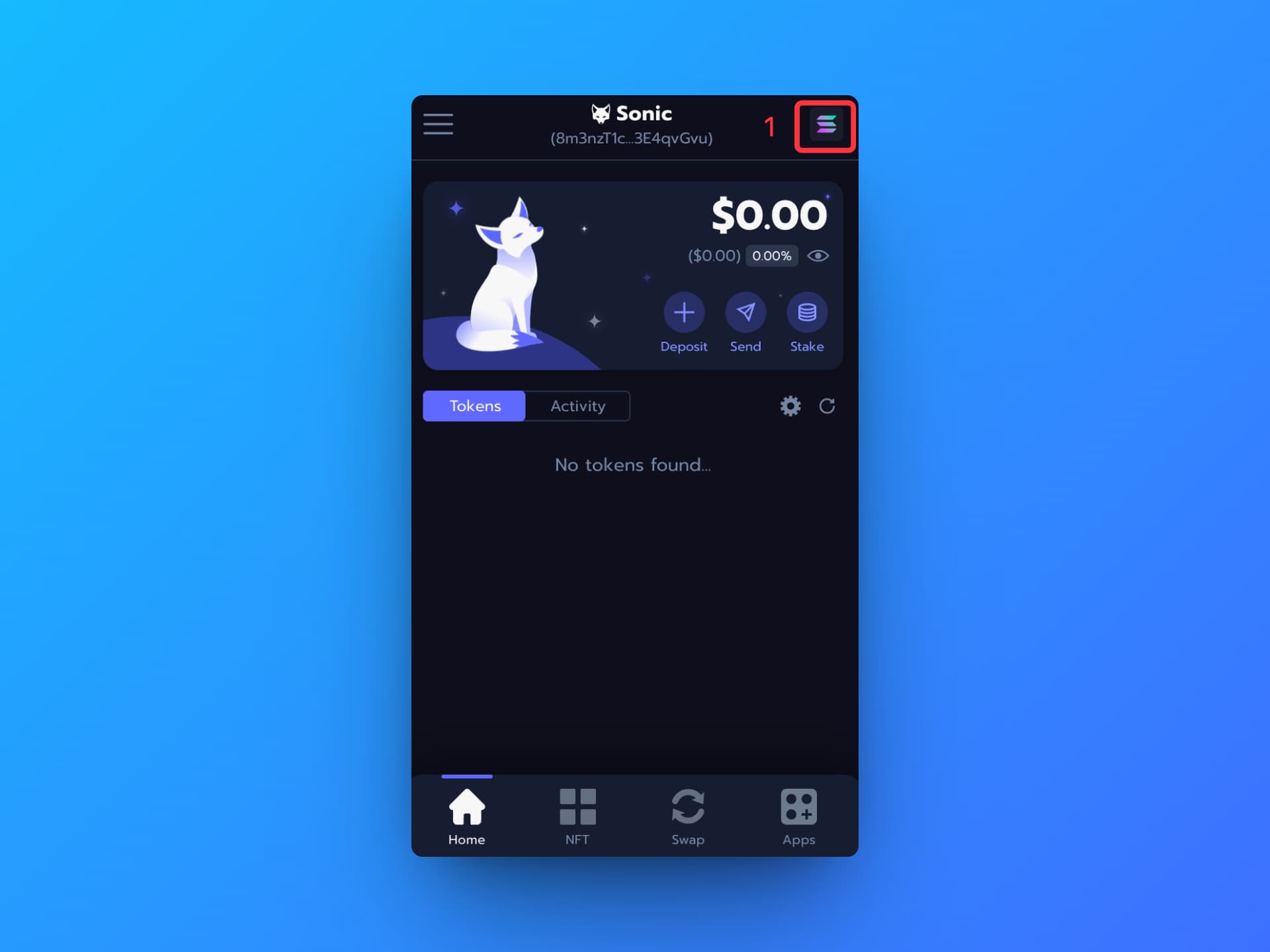
Step 1: Open your Nightly wallet and click on the network settings in the top right corner.
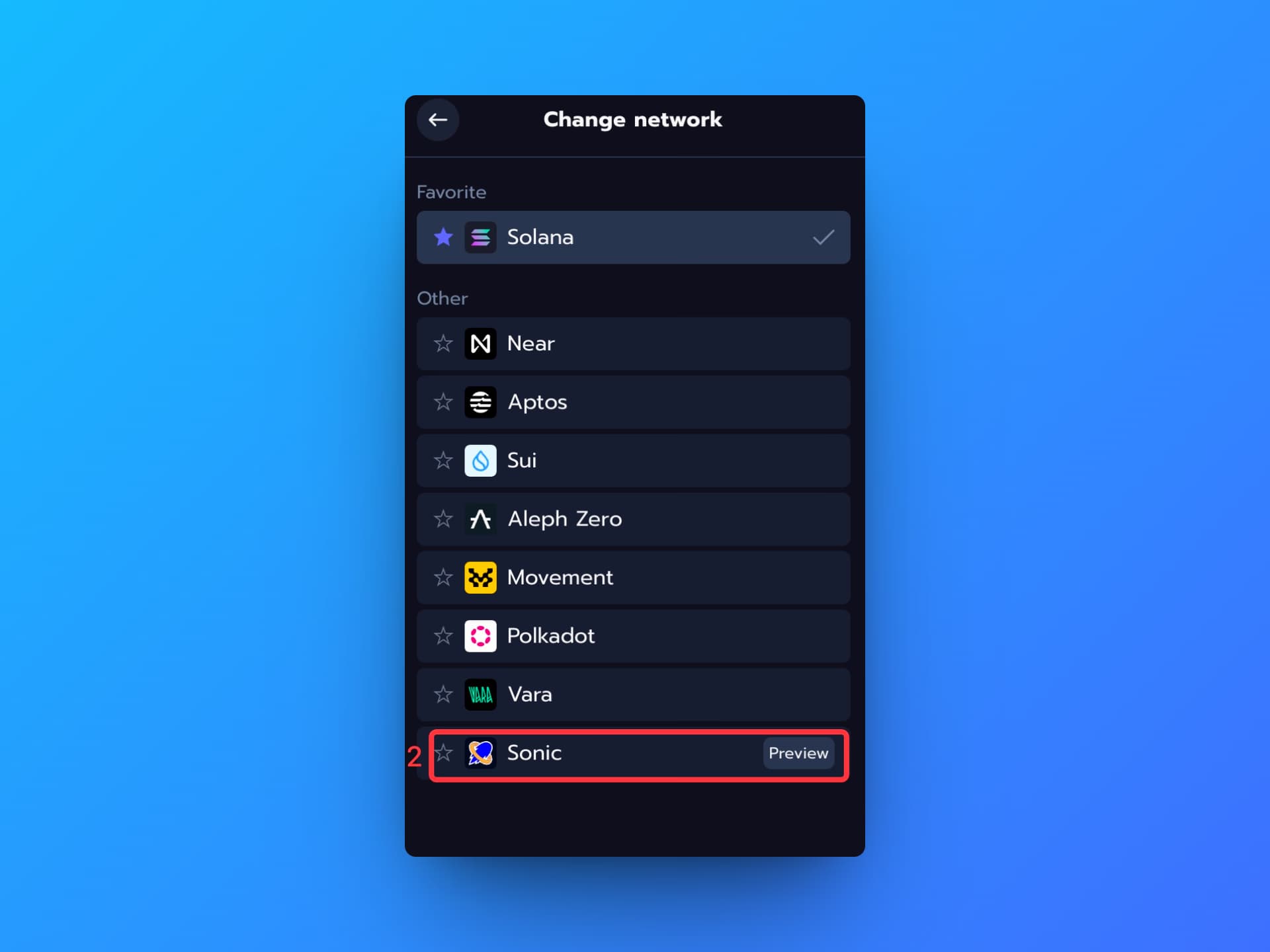
Step 2: Click on Sonic Network.
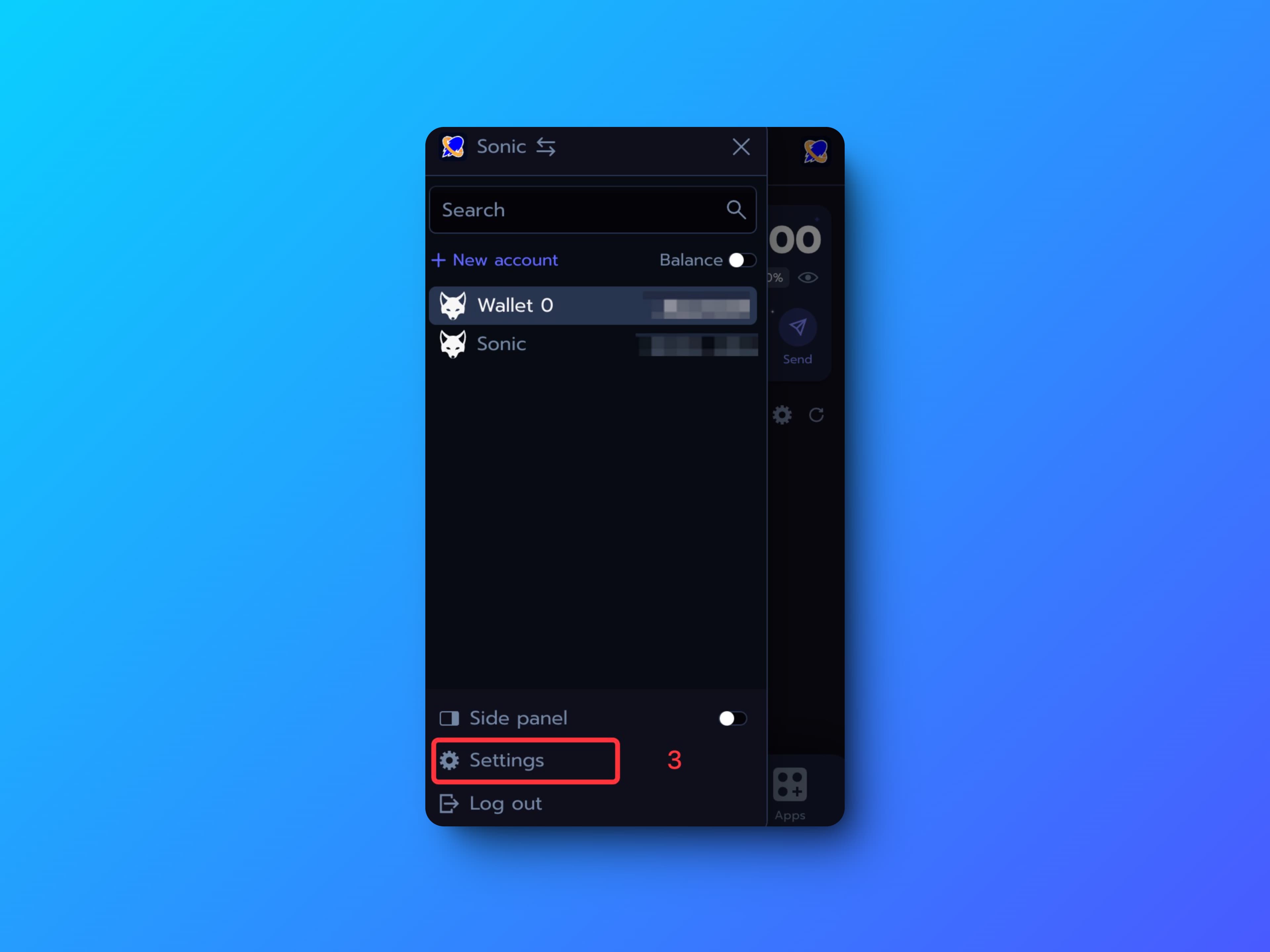
Step 3: Click on the Settings
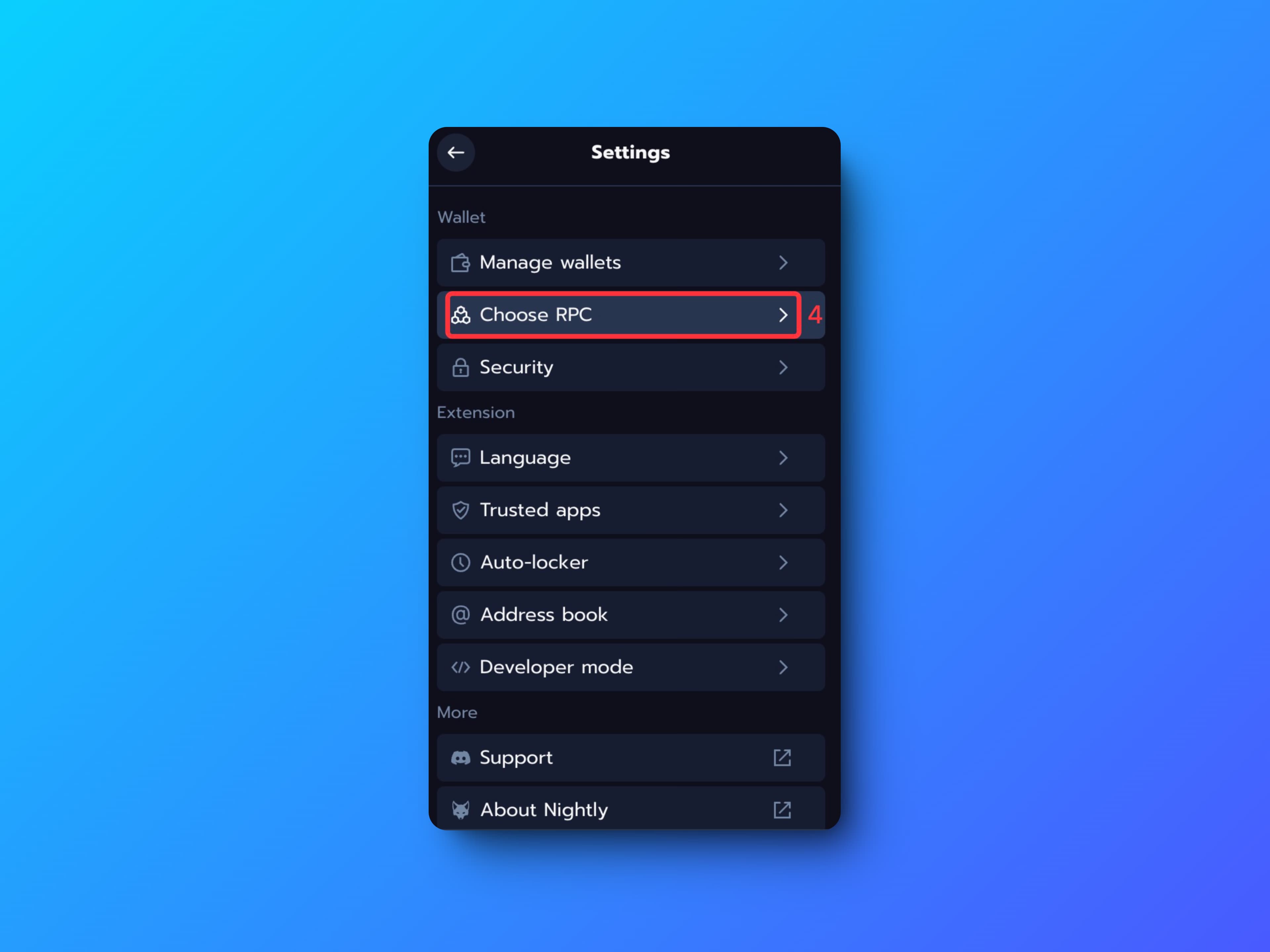
Step 4: Choose RPC
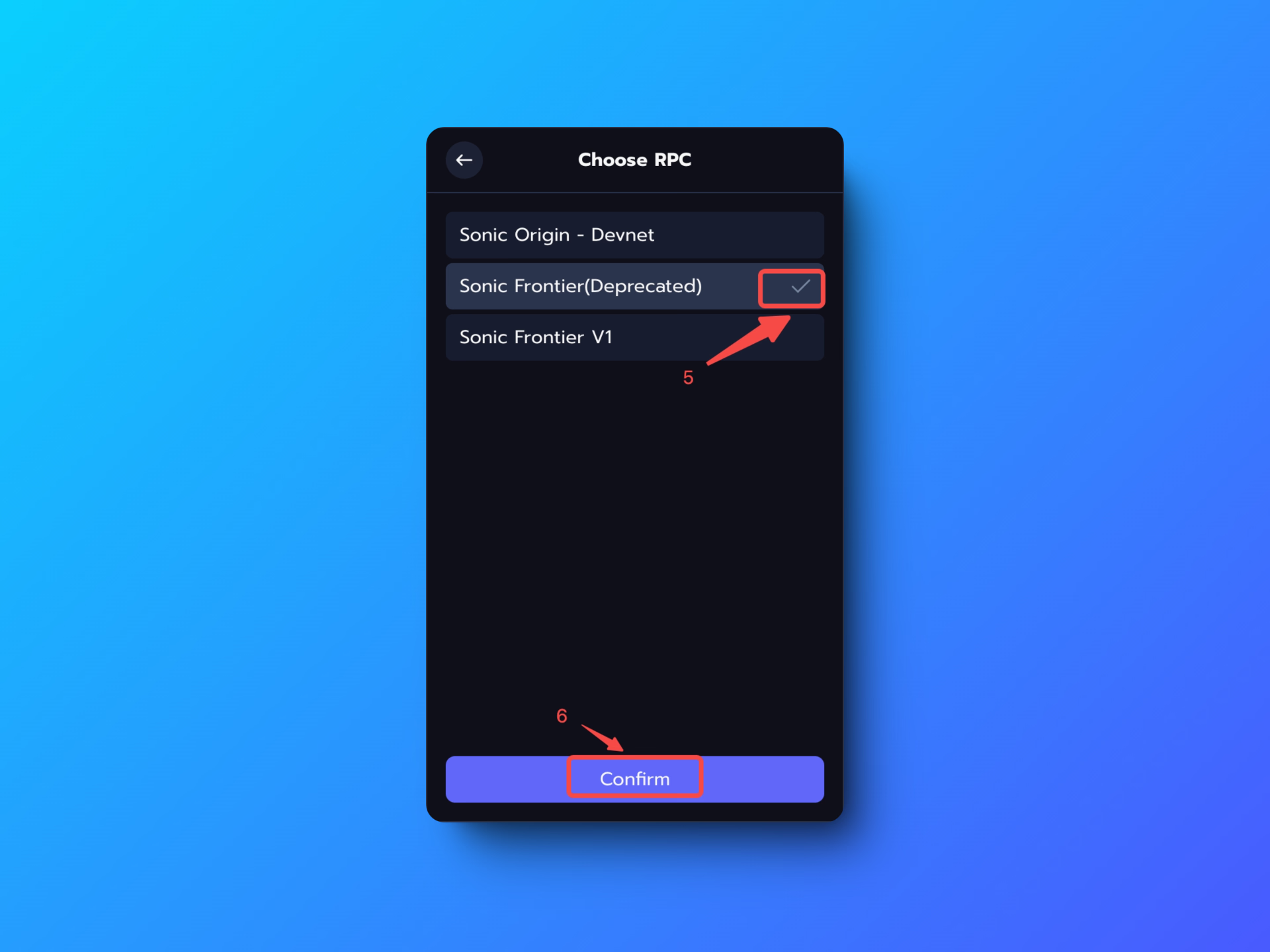
Step 5: Switch to Sonic Frontier (Deprecated) and Confirm