This tutorial will guide you on how to set up the Sonic Origin network in Backpack Wallet.
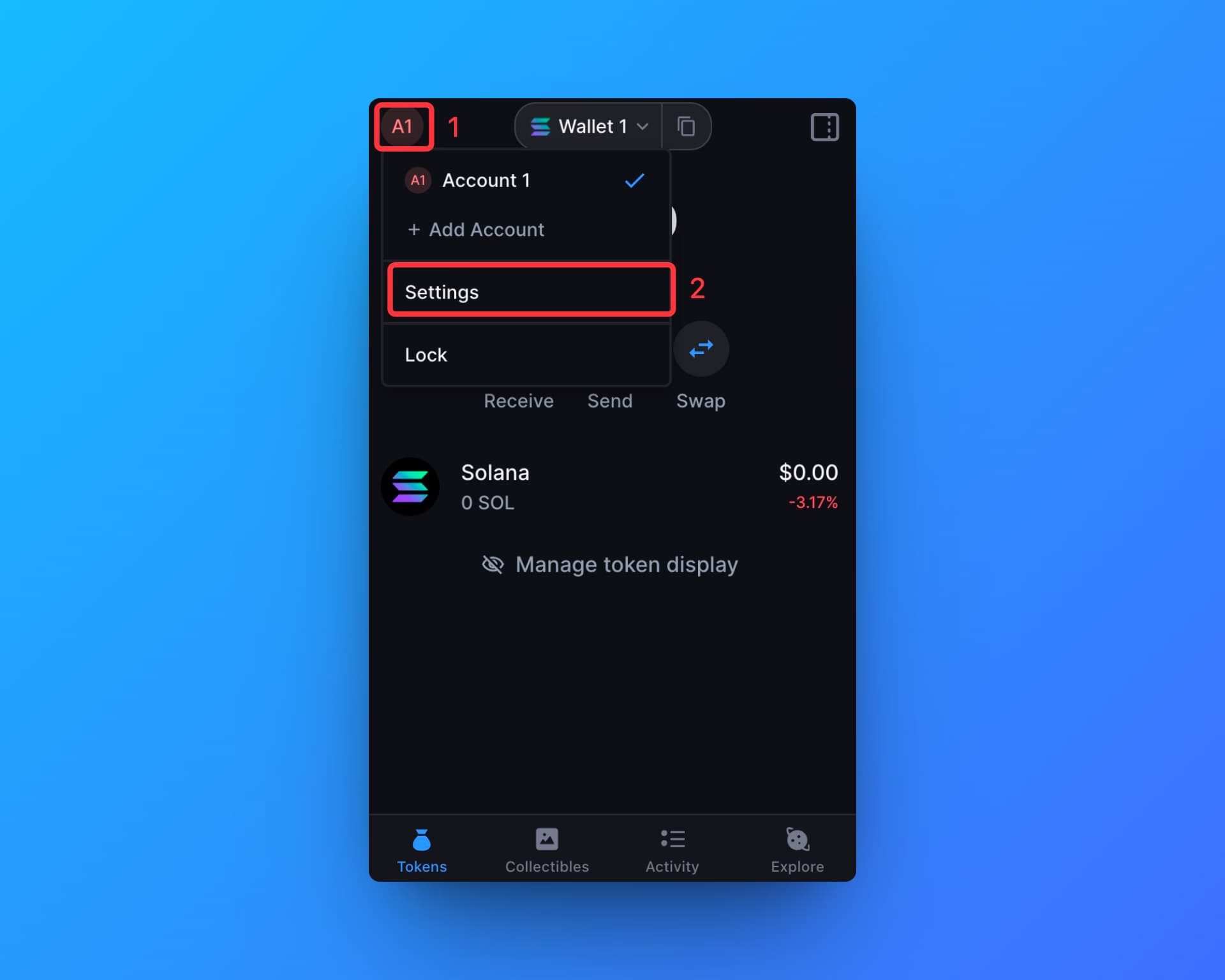
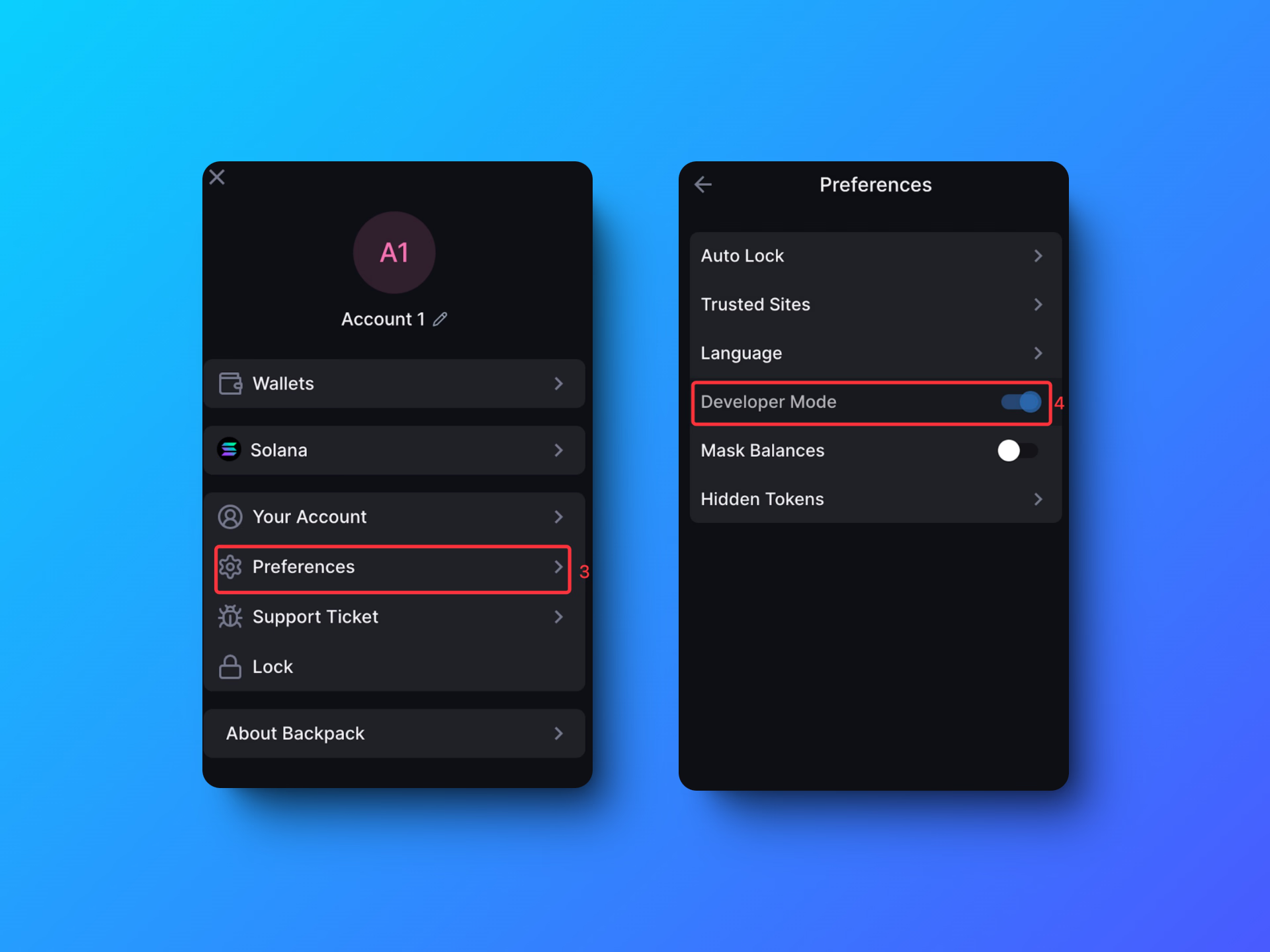
Step 1: Open your Backpack wallet, click on the account icon in the upper left corner, and then click on "Settings.”
Step 2: Click on the “Preference” and Open “Developer Mode”
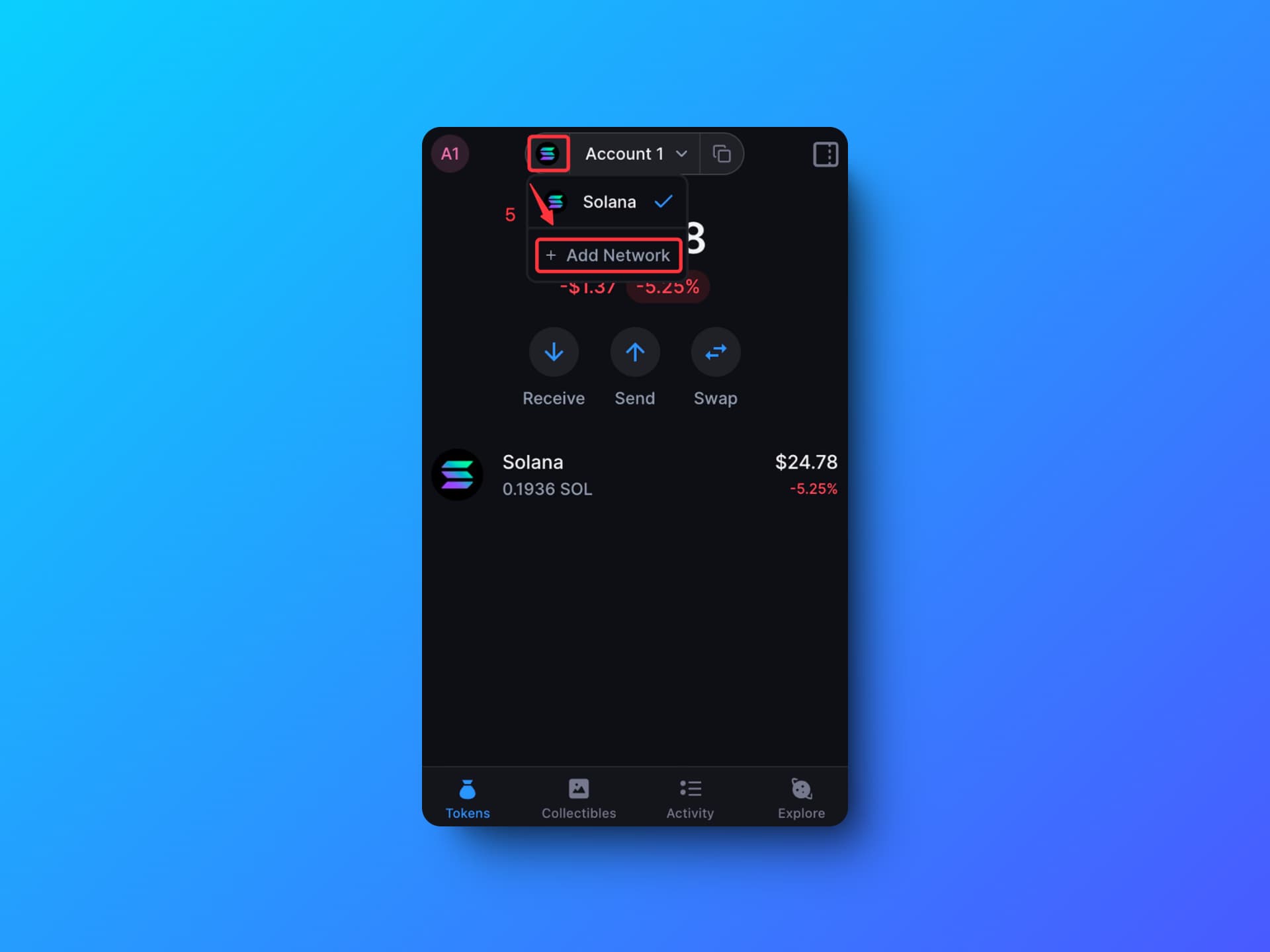
Step 3: Back to the Tokens Page and Click on the “Add Network”
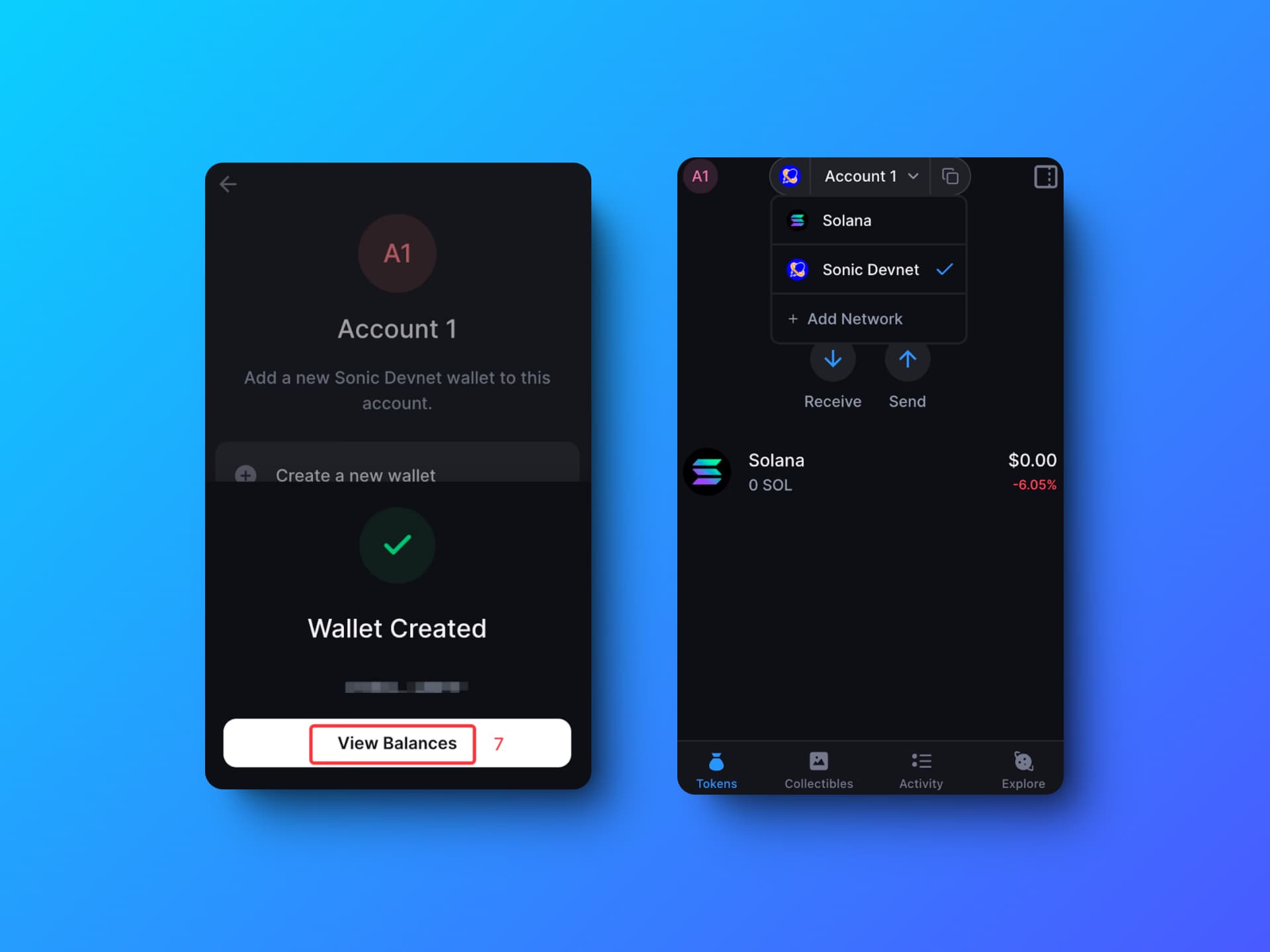
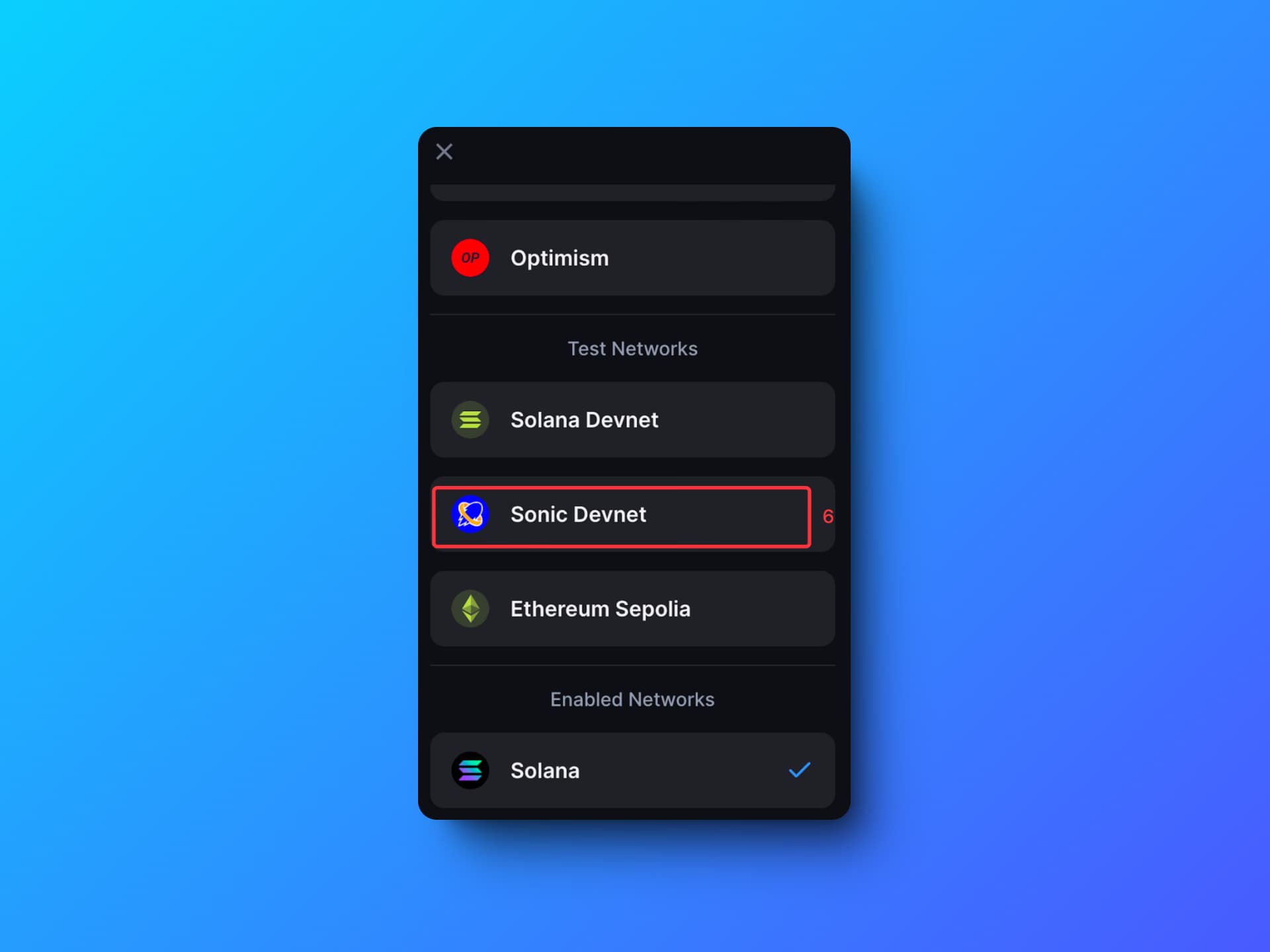
Step 4: Click on the “Sonic Origin”
Step 5: Click on the “View Balances” and Check your Assets!