This tutorial will guide you on how to set up the Sonic Origin network in Gate Wallet.
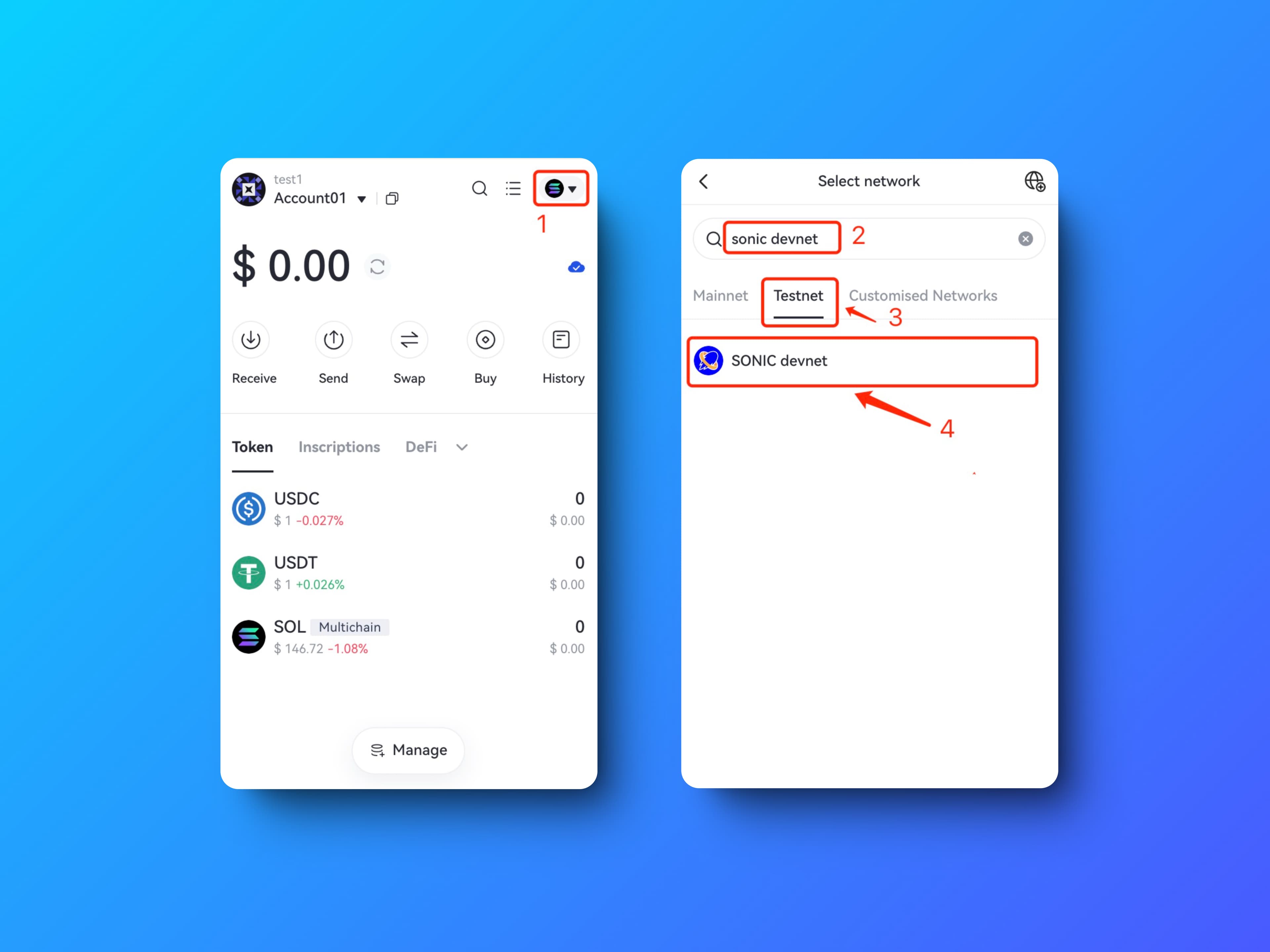
Step 1: Open your GATE wallet, click on the network icon in the upper right corner, and then search "Sonic Devnet.”
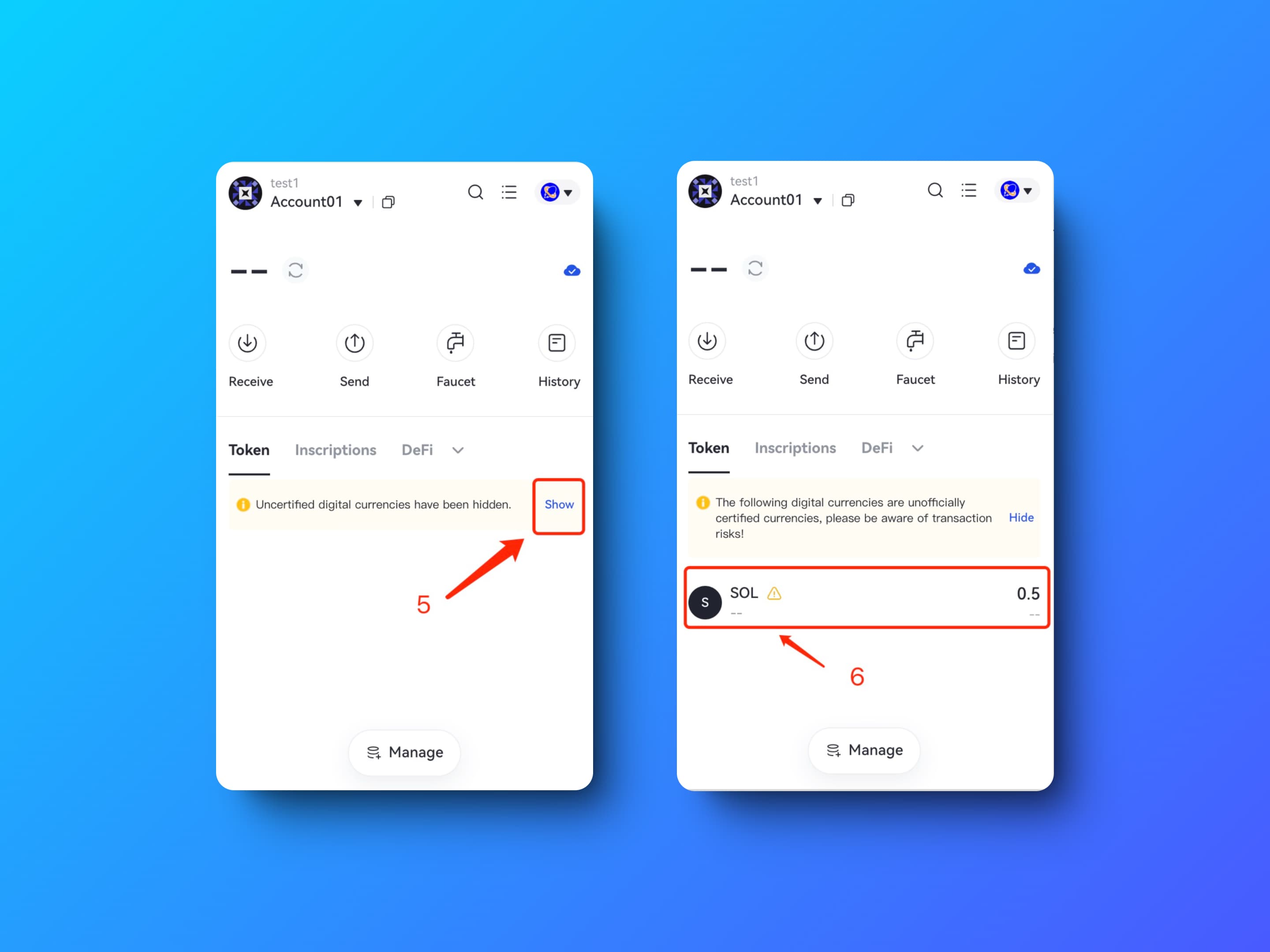
Step 2: Click on the “Show” button, and “SOL” in your wallet is your SOL on the sonic Devnet , which is the gas used in every transactions.
Sonic Faucet: https://faucet.sonic.game